> For the complete documentation index, see [llms.txt](https://docs.macrocosmos.ai/llms.txt). Markdown versions of documentation pages are available by appending `.md` to page URLs; this page is available as [Markdown](https://docs.macrocosmos.ai/product-and-services/gravity/managing-and-collecting-your-data.md).
# Managing And Collecting Your Data
### Track and Manage Your Tasks in Gravity
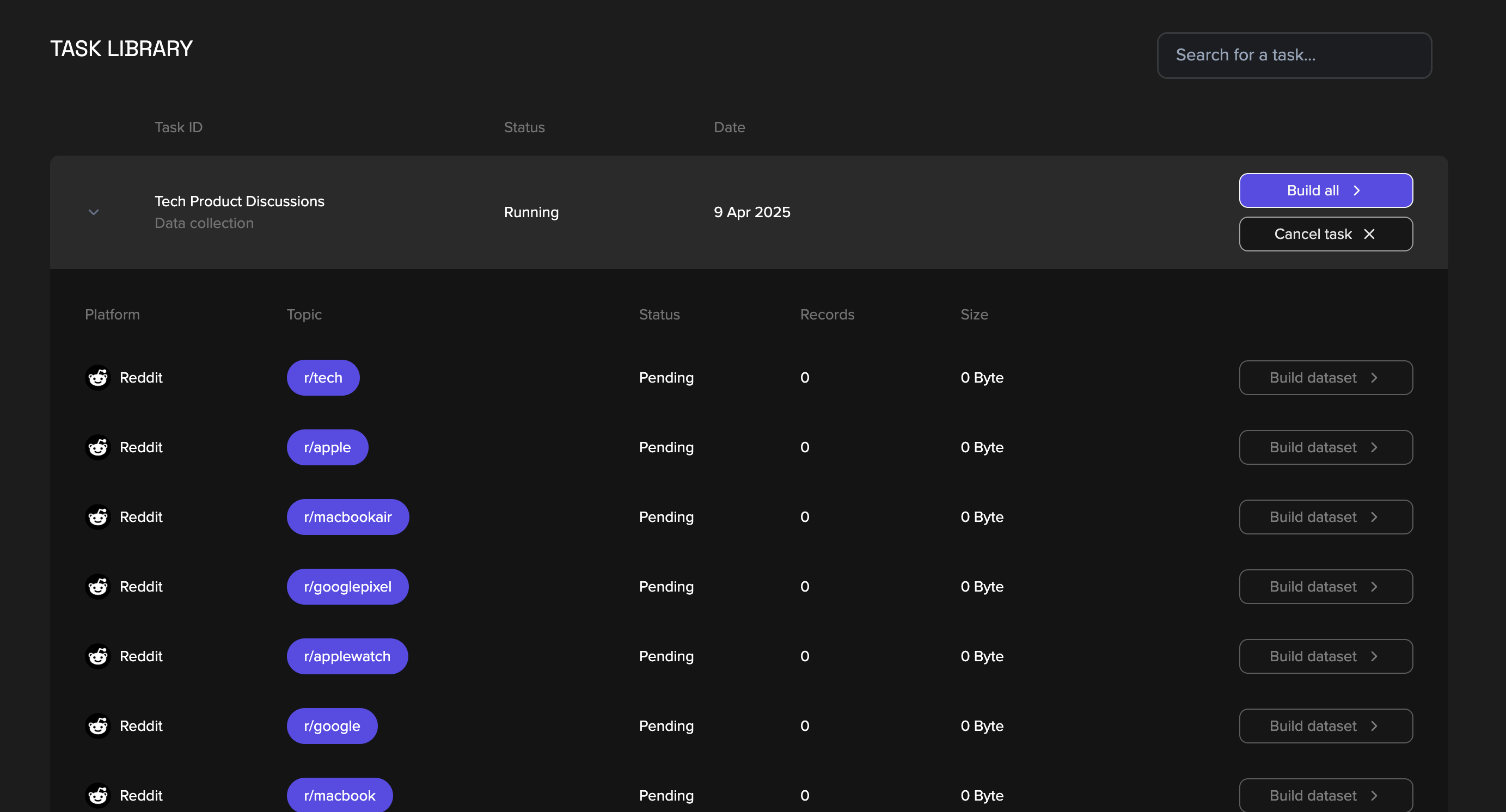
To monitor your scraping progress and access results, go to your **Task Library**.\
This is where you’ll see the current status of each task you’ve submitted.
**Pending**: Your task is waiting in the queue.
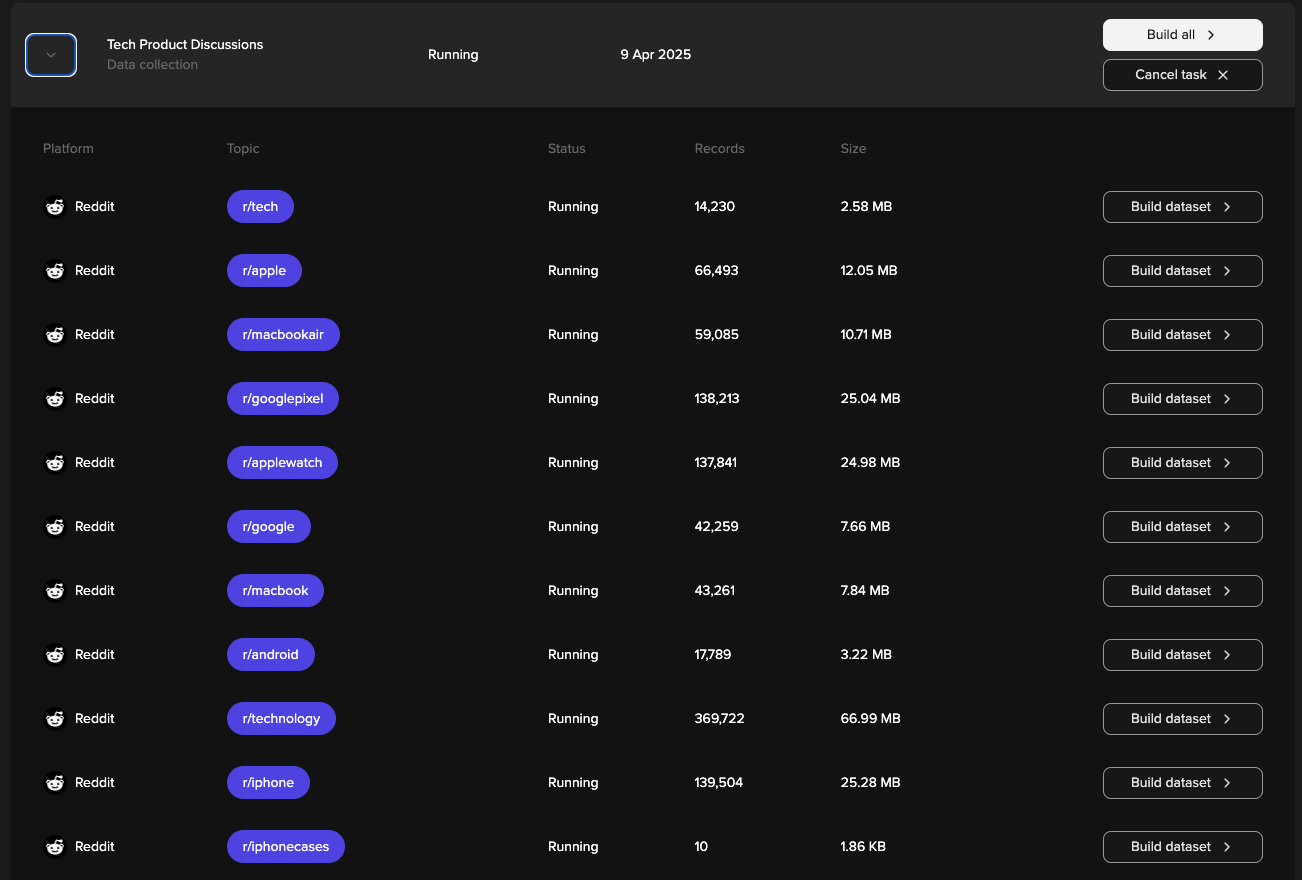
**Running**: Miners are actively working on your request.
### Build Your Dataset
To build a dataset for a **single topic**, click **“Build dataset”** next to it.
To fulfil your entire task, click **“Build all”**. If you chose to build a dataset, the scraping task for the relevant topics/ labels will be completed.
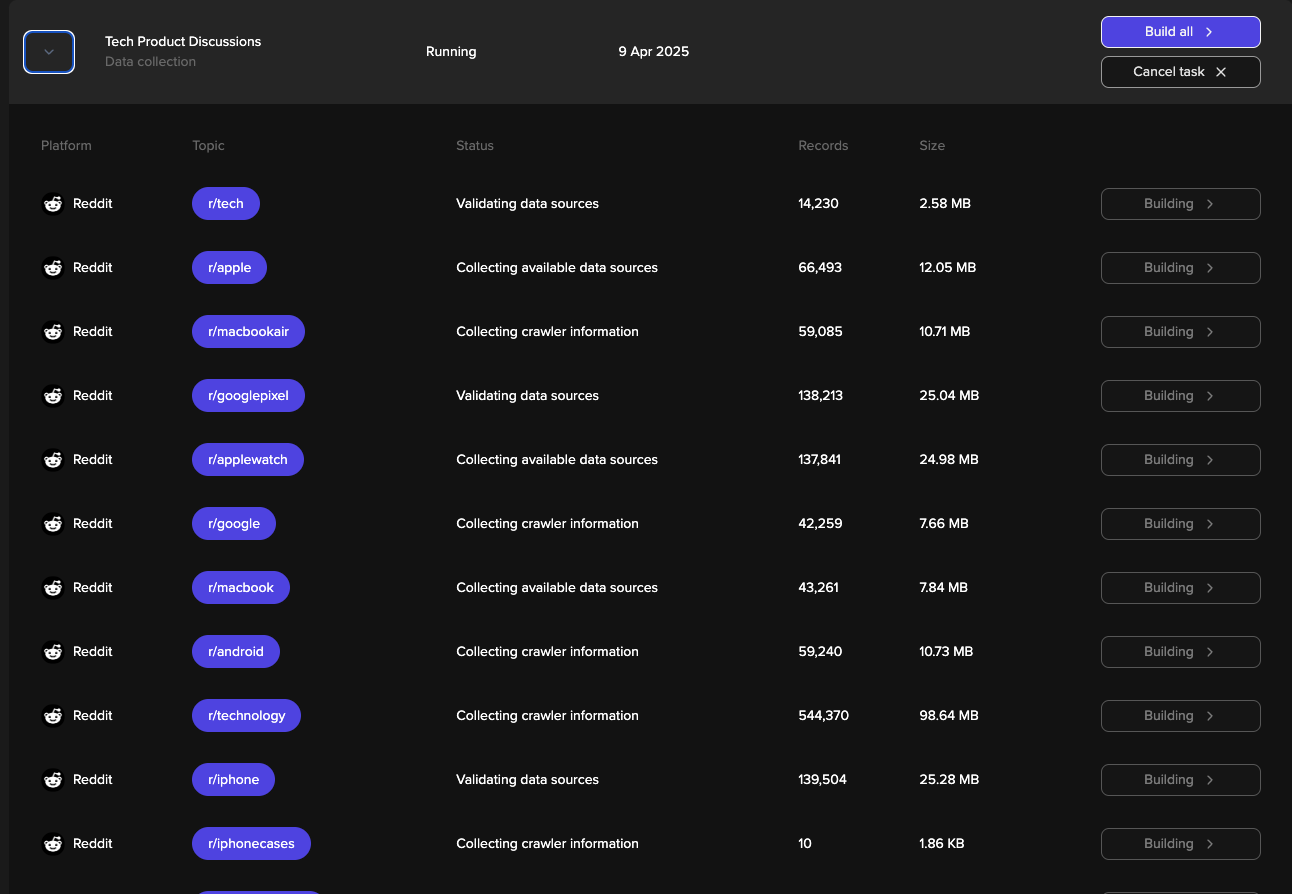
After clicking "Build all" Gravity begins collecting and preparing data across for the selected labels across X and reddit. The task moves through a few key processing stages: **Validating Data Sources, Collecting Available Data Sources** and **Collecting Crawler Information**
**Validating Data Sources**\
Gravity is checking each selected topic (like `r/tech` or `r/googlepixel`) to ensure the source is reachable, active, and properly formatted for extraction.
**Collecting Available Data Sources**\
This stage begins retrieving all accessible data from the validated sources.
**Collecting Crawler Information**\
Gravity’s crawlers structure the data further.
It takes several minutes for dataset to be built, once your dataset is ready, you’ll get an **email notification**.\
Return back to your task library and you’ll also see a **“View Dataset”** button in your task row.\
Click it to preview the data.
### Download Your Data
To download, hit **“Download”** — files are exported in **CSV** and **Parquet** format.
### Cancel a Task
Tasks are present in the request lists for **7 days** by default. This allows miners to add more data to your request. If you'd like to stop a task early, click **“Cancel.”**
**If you cancel:**
You can still preview or download any completed datasets. If you'd like to get a new data for the same topics, you should launch a new task.